
添加DC voltage,包括所有的GND、PGND、AGND等为0V
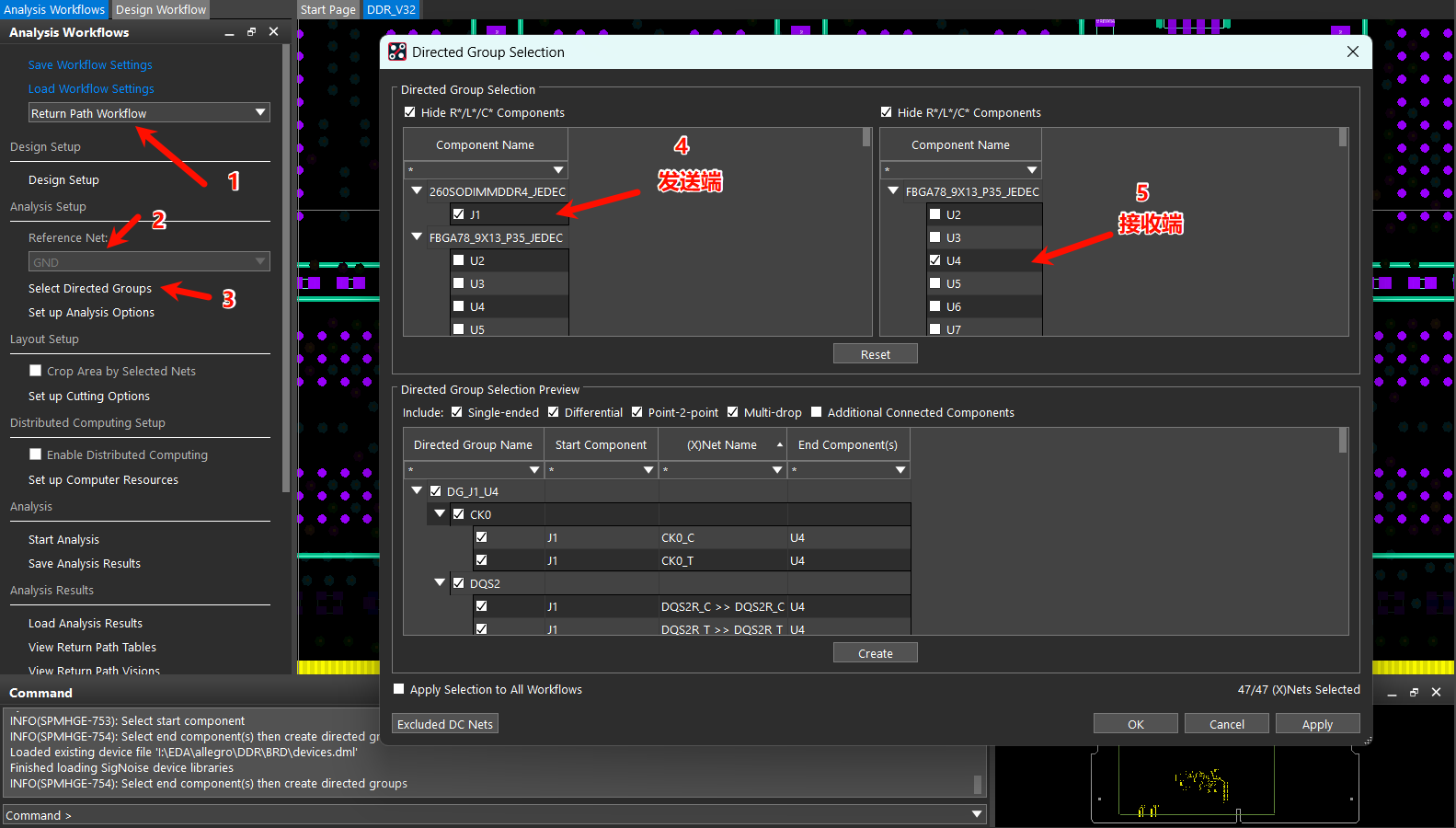
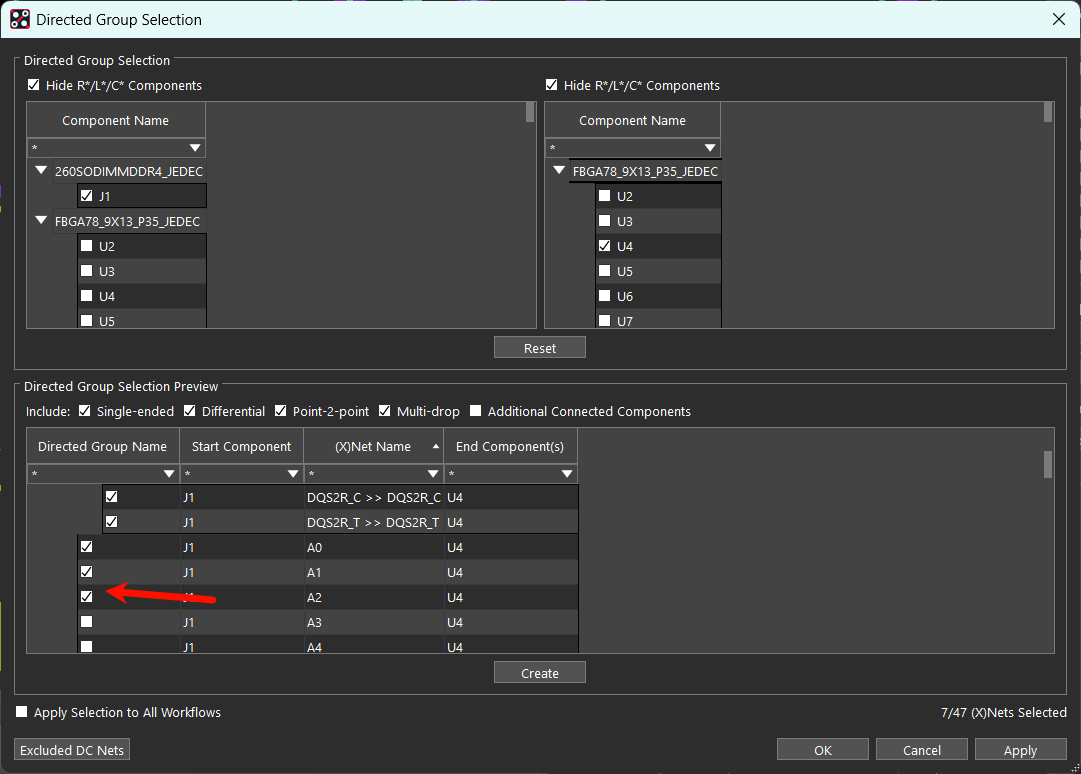
选中需要仿真的信号,点击create
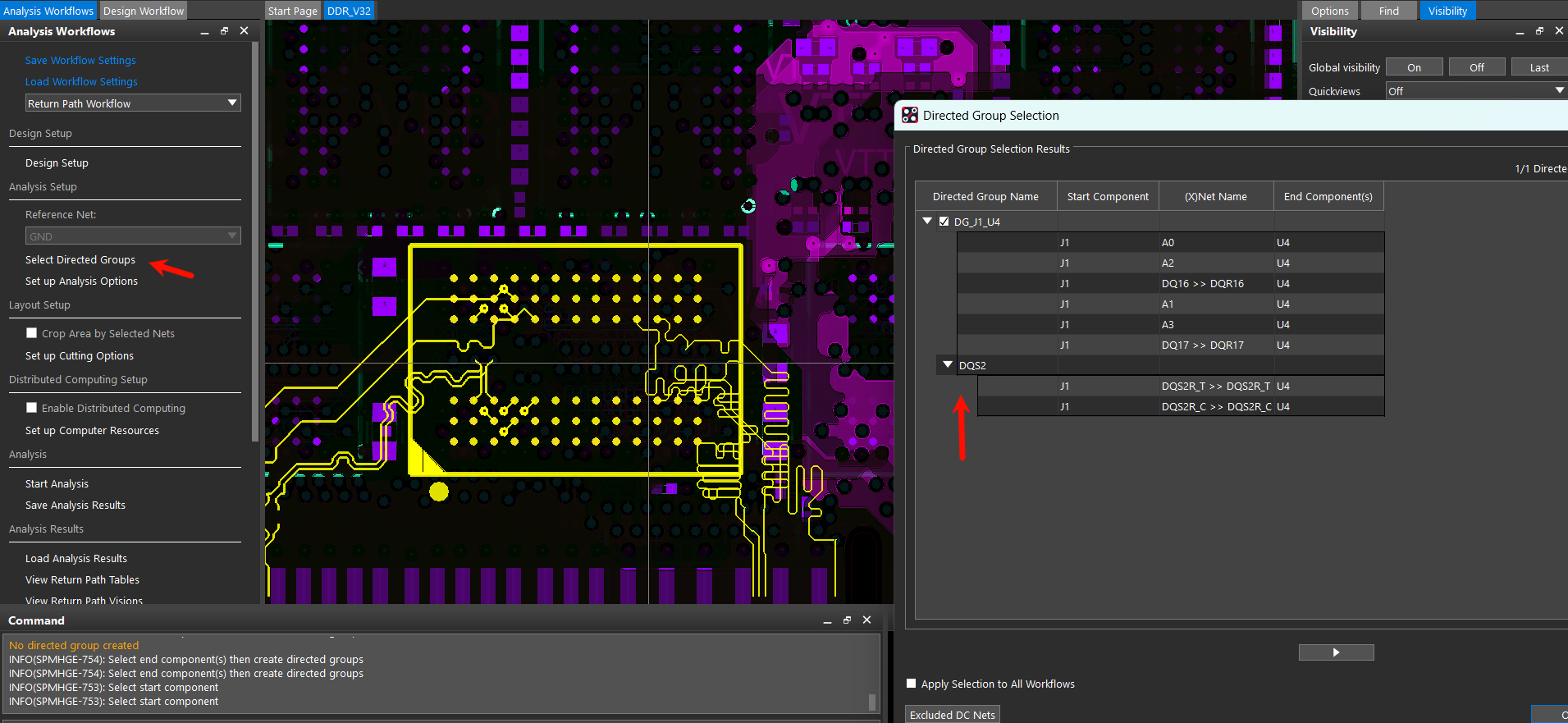
创建好之后点击Start Analysis
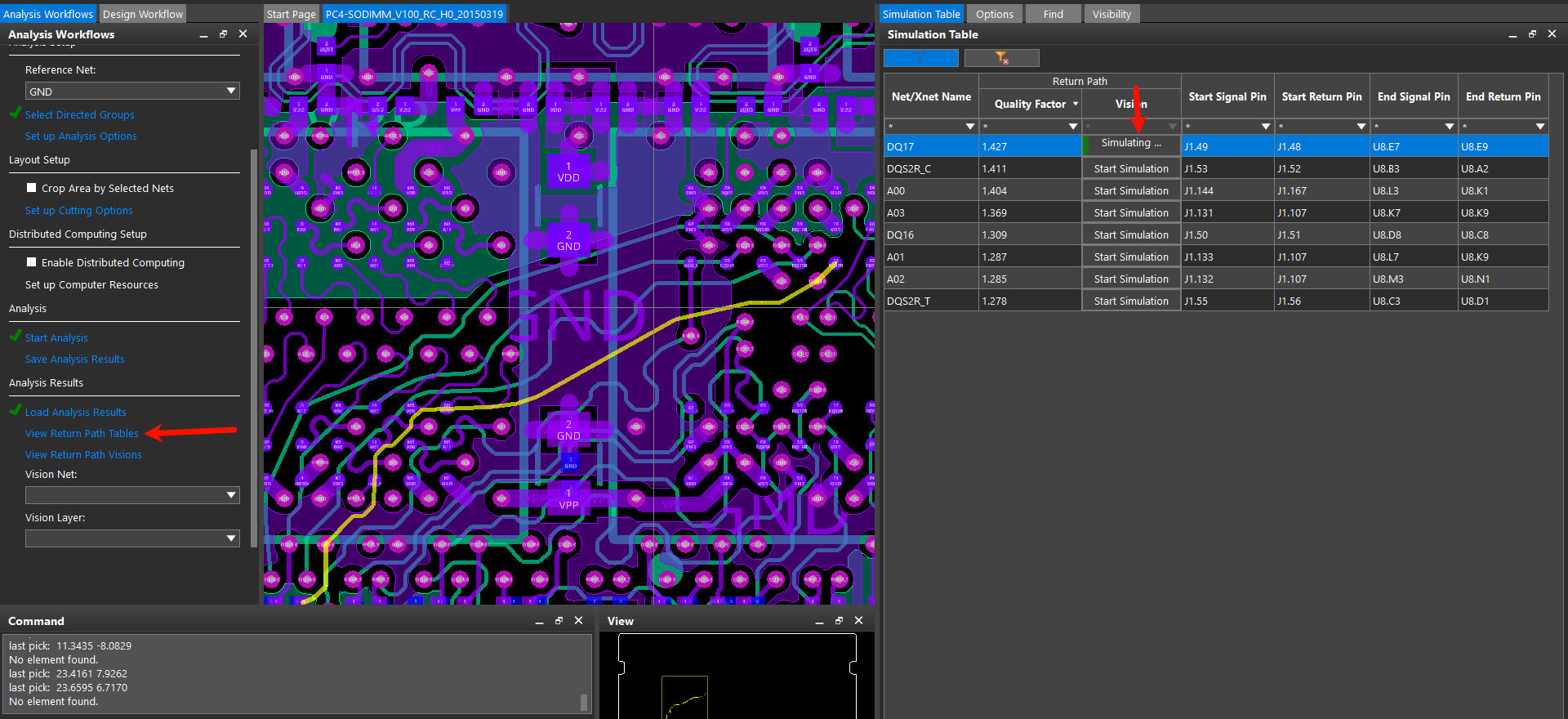
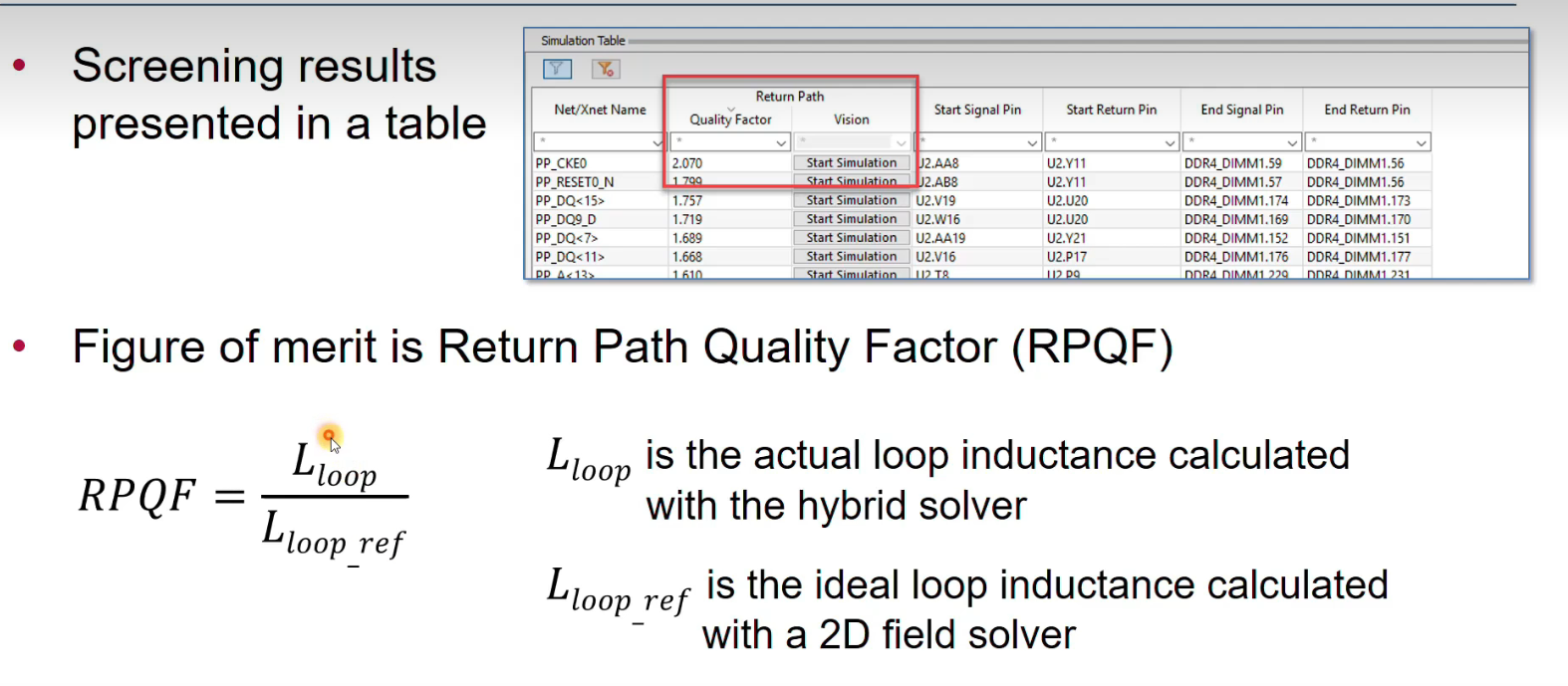
RPQF越接近1越好

点击Start Simulation
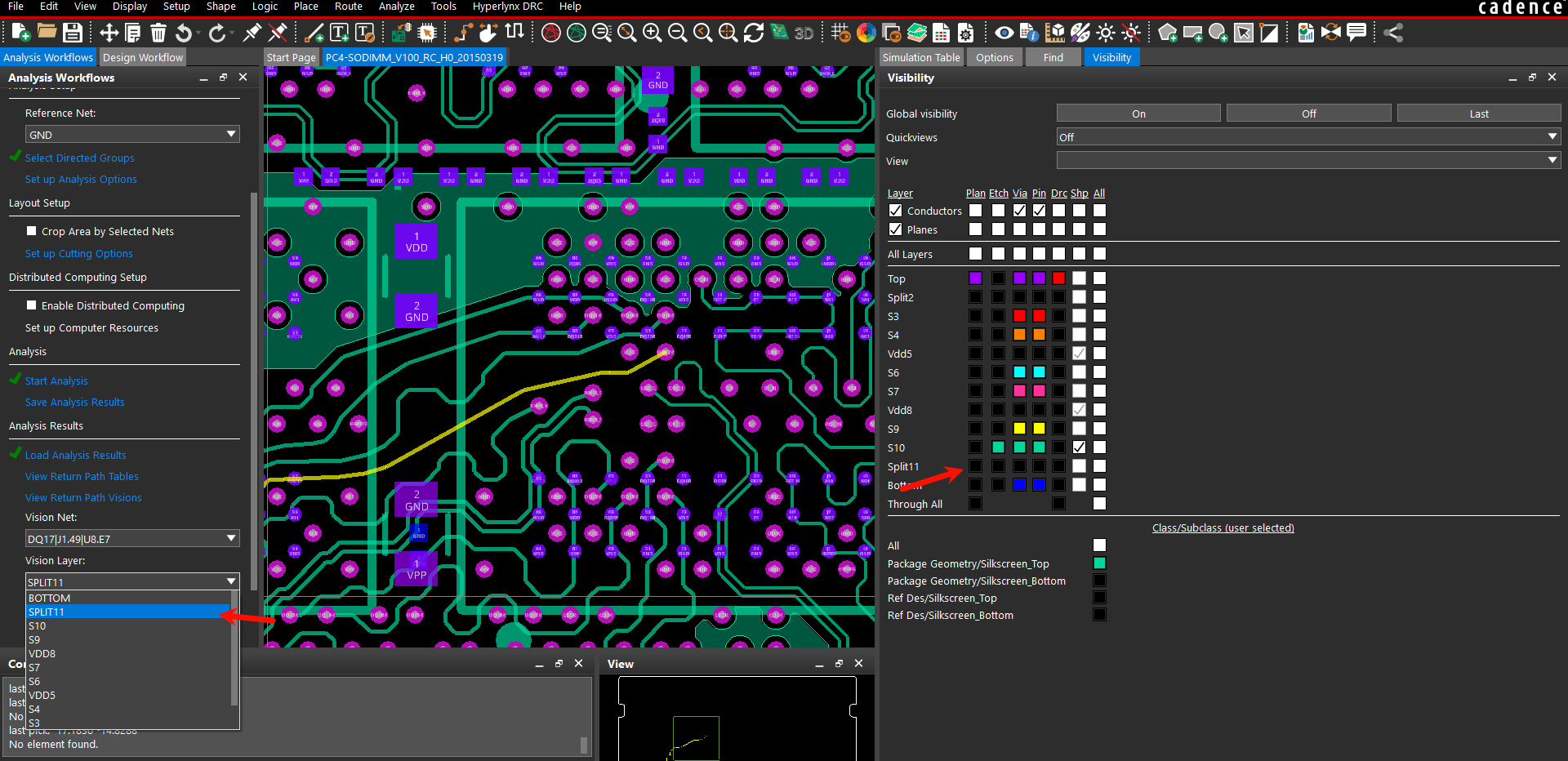
选择11层作为参考平面,点击View Return Path Visions
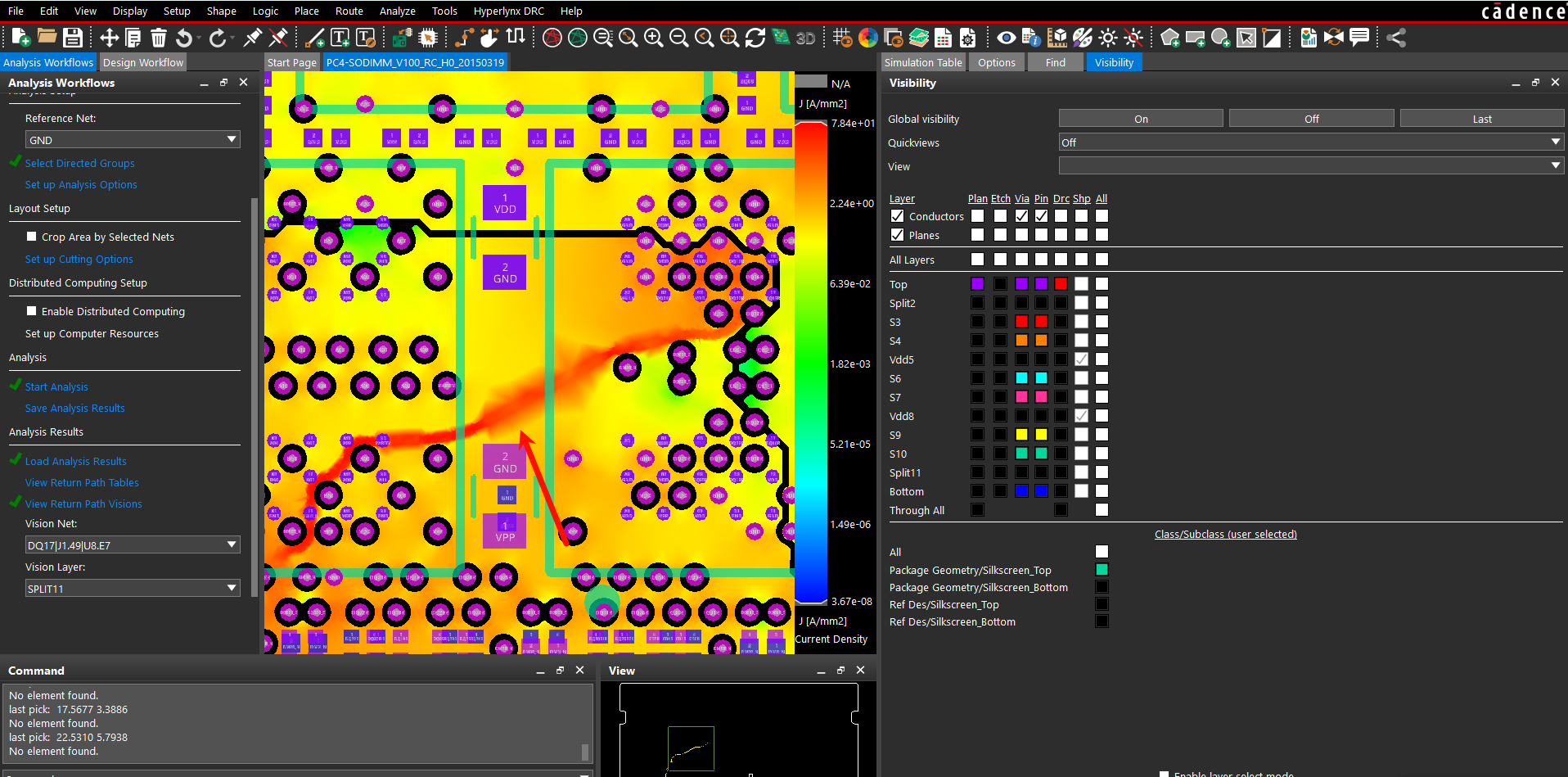
关闭所有Etch,在第11层能很明显看到一条走线
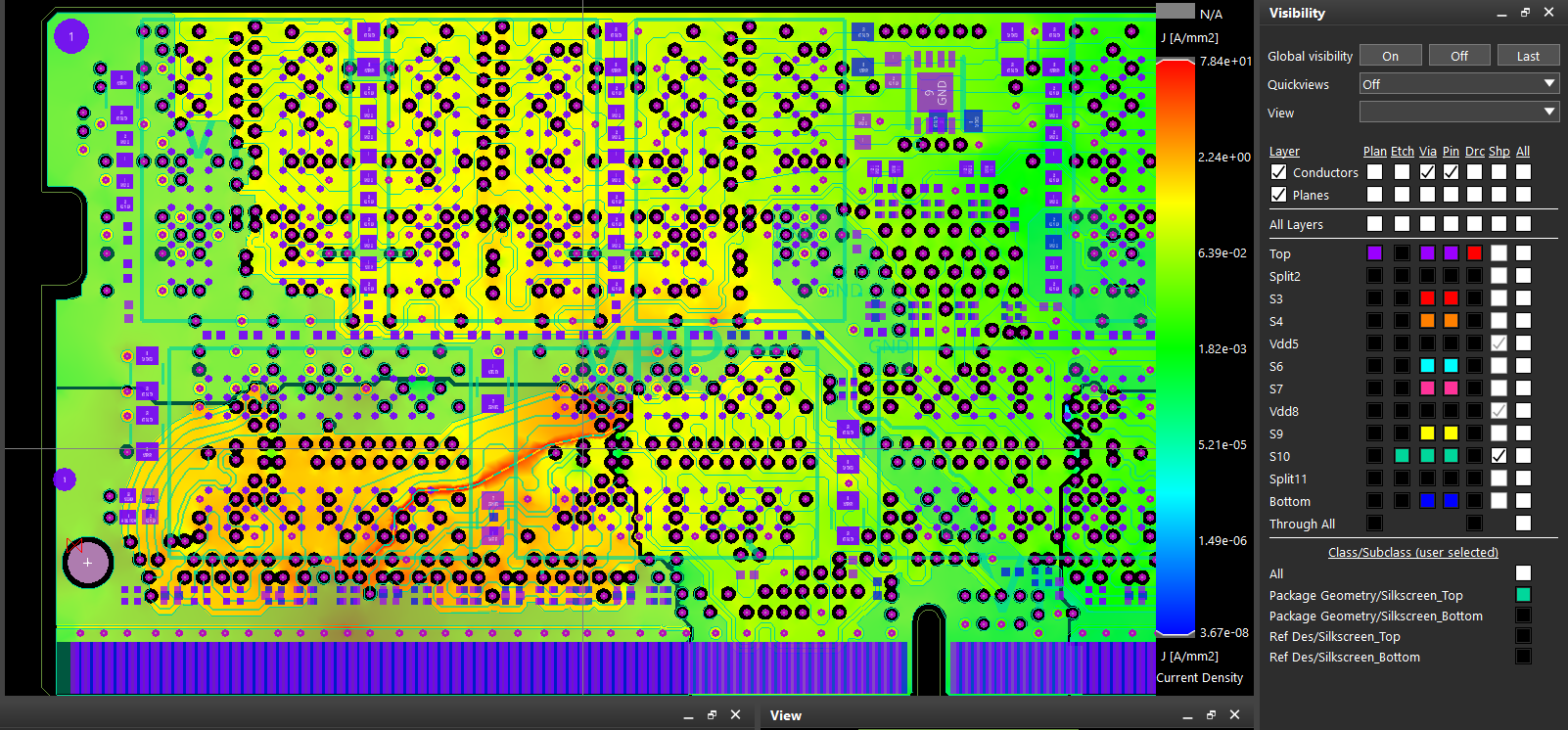
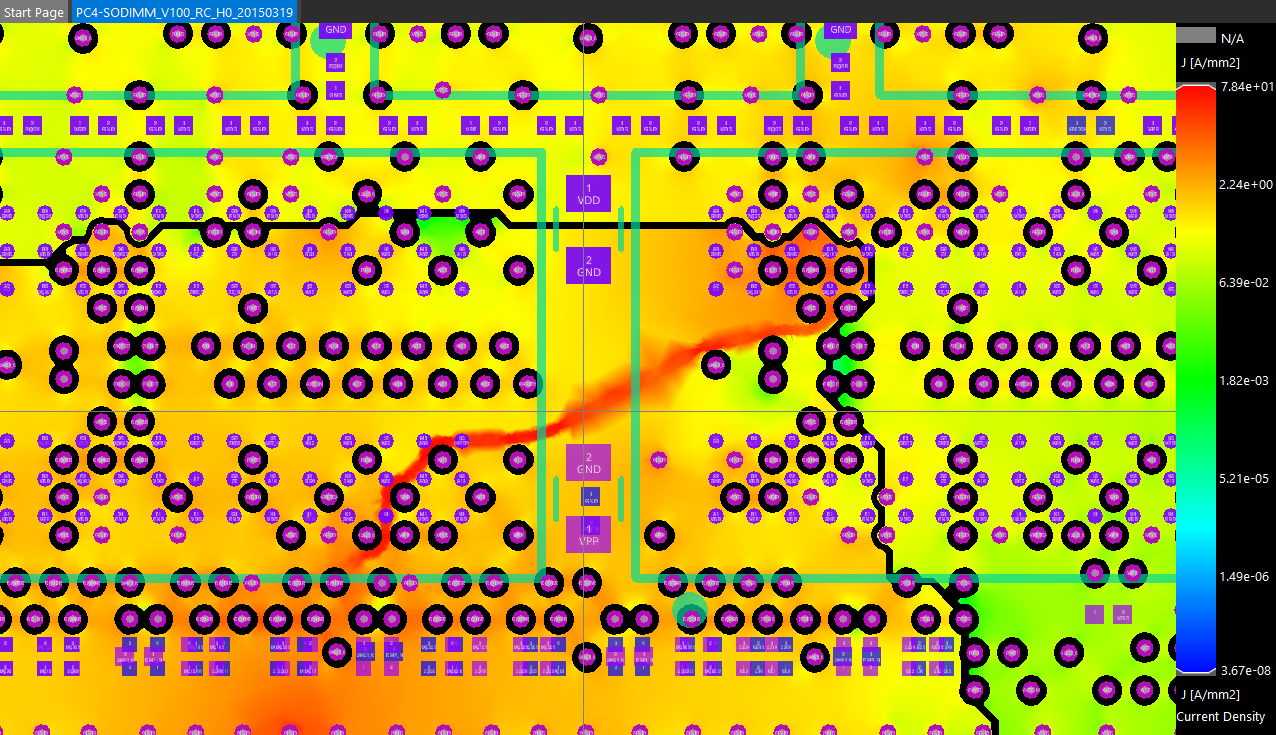
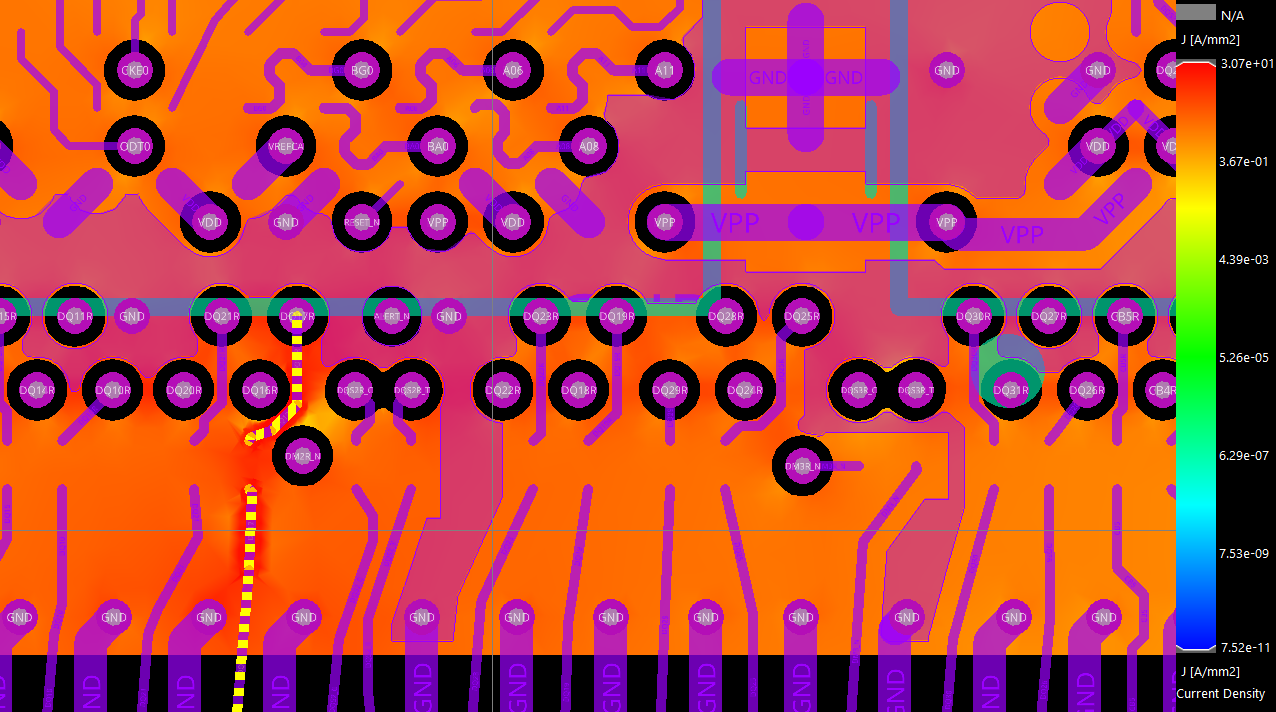
顶层的走线参考回流路径在第二层
0%
